What Is a Twitter Hidden Image?
'Twitter hidden image' is what a lot of people still call the tap-and-hold reveal trick, even after the platform's rename to X. The technique itself hasn't changed at all.
Free · No login required
Skip ahead and start now, or read the full guide below.
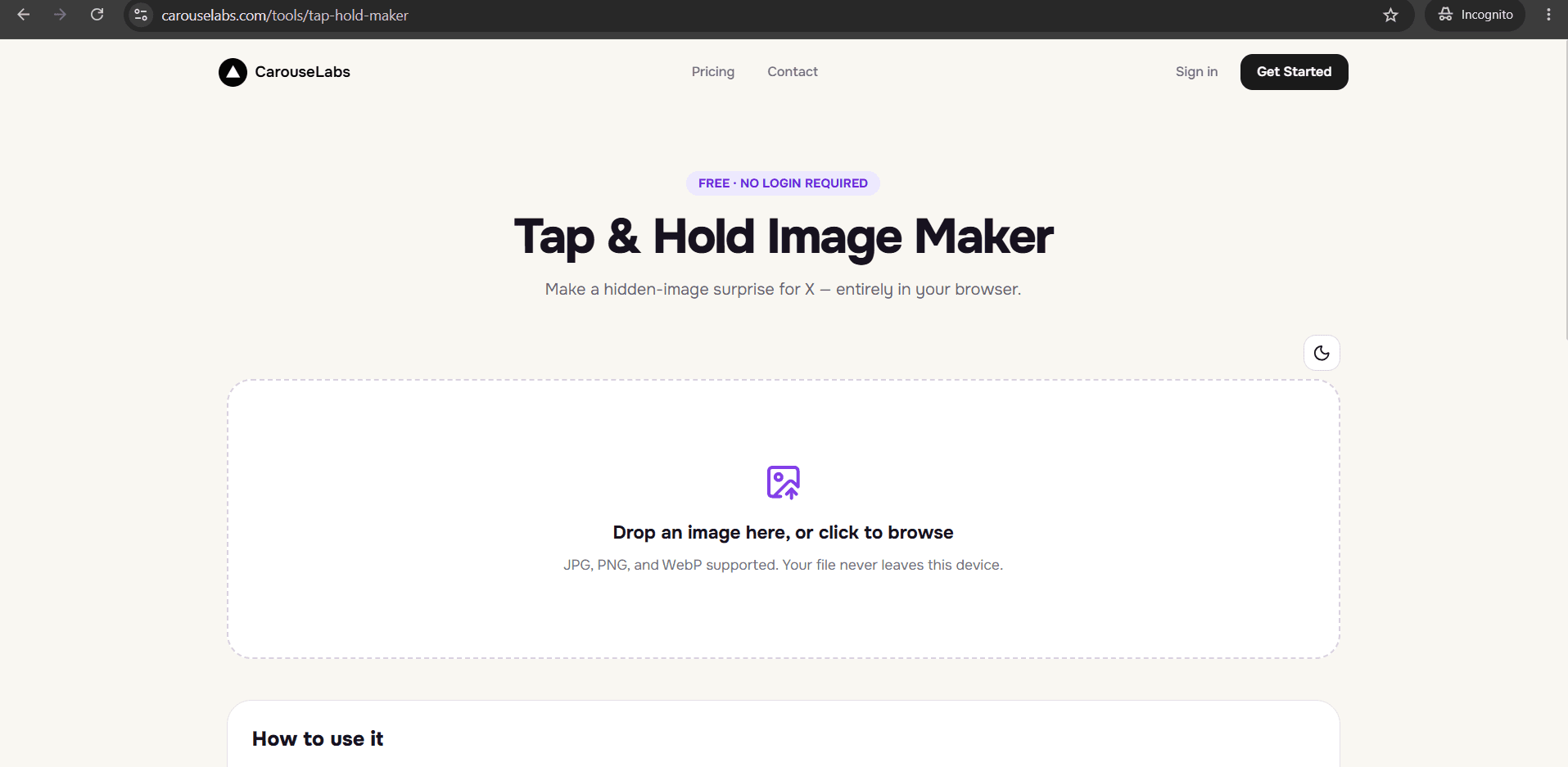
Plenty of longtime users still say 'Twitter' out of habit, even though the platform has been called X for a while now — and that habit carries over into how people search for and describe this effect. A Twitter hidden image and an X reveal image are the exact same thing: a picture that looks ordinary while scrolling and reveals more when you press and hold it.
This page explains what a Twitter hidden image is, confirms that the underlying mechanic works identically on today's X, and walks through building your own using the free CarouseLabs Tap & Hold Image Maker.
What “What Is Twitter Hidden Image” Means
A Twitter hidden image is a single picture built so that part of its detail is nearly invisible when the platform compresses it for the fast-scrolling timeline, but becomes visible when a viewer presses and holds it on mobile, triggering a higher-quality render. This mechanic predates the platform's rename and has continued working the same way on X — the rebrand changed the platform's name and logo, not the underlying way images are compressed and rendered.
Making one still comes down to the same core step: deciding which parts of an image should stay visible under compression and which parts should depend on the tap-and-hold render to appear. That's done by painting the visible areas with a brush tool, which is exactly what the CarouseLabs Tap & Hold Image Maker is built for, regardless of whether you think of the platform as Twitter or X.
Why People Use This Effect
The format's popularity isn't tied to what the platform is called — it's tied to the interaction itself. A picture that requires a deliberate tap and hold to fully see stands out on a feed where almost everything else can be understood in a glance, and that contrast is what earns replies and shares regardless of branding.
There's also a nostalgia-adjacent pull for people who still call it Twitter: using a 'Twitter hidden image' framing can feel familiar or old-school, even though it's technically describing a current-day X feature — which is part of why the phrase has stuck around in search and conversation even as official branding moved on.
How to Create This with CarouseLabs
Here's exactly how to make a Twitter-style hidden image that works on today's X, using the free CarouseLabs Tap & Hold Image Maker.
- 1
Open the CarouseLabs Tap & Hold Image Maker
Go to /tools/tap-hold-maker. It's free, browser-based, and works the same way regardless of whether you call the platform Twitter or X.
30 sec - 2
Upload the image you want to build a hidden reveal from
Drop in a JPG, PNG, or WebP, or use the file picker. Your image is processed locally in the browser and isn't uploaded to a server while you edit.
15 sec - 3
Paint the parts that should stay visible in the feed
Use the brush to mark what stays visible while scrolling. Everything left unpainted stays hidden until tap and hold. Undo and Clear help you adjust as you go.
1-2 min - 4
Preview the feed view and the reveal view
Timeline View shows roughly what appears while scrolling; Tap & Hold View shows the full reveal on a black background — confirm both look right before exporting.
30 sec - 5
Download your image
Export a PNG-8 with 'Download for X', optimized for the platform's current compression behavior, or choose WebP for sharing elsewhere.
10 sec - 6
Post it from a desktop browser
Upload the downloaded file through the platform on desktop rather than the mobile app, since the app's own compression can weaken the hidden effect. Mobile viewers can then tap and hold to reveal it.
20 sec
Try it as you read
Open the maker in another tab and follow along with the steps above.
Tips for Better Results
The technique hasn't changed since the rebrand
Whether you think of it as Twitter or X, the timeline compression and tap-and-hold render behavior work the same way, so older knowledge of the trick still applies.
Use current terminology when researching, but don't worry about it for the tool itself
The CarouseLabs Tap & Hold Image Maker builds the same effect regardless of what name you search for it under.
Keep the visible area intentional
A clear, deliberate visible portion reads as an invitation to tap; a vague or accidental-looking one often gets scrolled past.
Always check Tap & Hold View before exporting
It's the closest approximation of what actually happens during a real tap-and-hold press, so treat it as your final check.
Re-download after any brush adjustment
Each export reflects the canvas exactly as it was at that moment, so re-export whenever you make a change.
Examples
Classic silhouette reveal
A dark, low-detail silhouette stays visible in the feed while the fully lit photo appears on tap and hold.
Caption-first hidden image
A short line of text stays visible while the related image is the hidden reveal.
Nostalgic throwback reveal
An older-style photo or graphic stays visible while a modern or updated version is hidden underneath.
Common Mistakes
Assuming the trick stopped working after the platform's rename
Fix: The rebrand didn't change how images are compressed or rendered. A properly built hidden image works the same on X today as it did as a Twitter hidden image before.
Posting through the mobile app
Fix: The app's own compression on upload can undercut the effect regardless of what the platform is called. Post the downloaded file from a desktop browser instead.
Leaving too much of the image visible
Fix: If most of the picture survives the timeline view, there's little left to discover on tap and hold. Use the brush tool to limit the visible portion intentionally.
Skipping the live preview before sharing
Fix: Always confirm the reveal actually works in Tap & Hold View before downloading and posting.
Frequently Asked Questions
A Twitter hidden image and an X reveal image are the same technique under two different names — a picture that hides part of its detail under the platform's timeline compression and reveals it during a tap-and-hold press. The rebrand changed the name, not the mechanism.
Build one yourself with the free CarouseLabs Tap & Hold Image Maker — the process works exactly the same whether you think of the platform as Twitter or X.
Make your what is twitter hidden image right now
Everything above happens inside one free browser tool — no signup, no design software.
Create your Tap & Hold image nowFree forever · Works entirely in your browser