Viral Tap and Hold Examples
The example structures behind tap and hold images that spread — and how to build the same structure with your own photo.
Free · No login required
Skip ahead and start now, or read the full guide below.
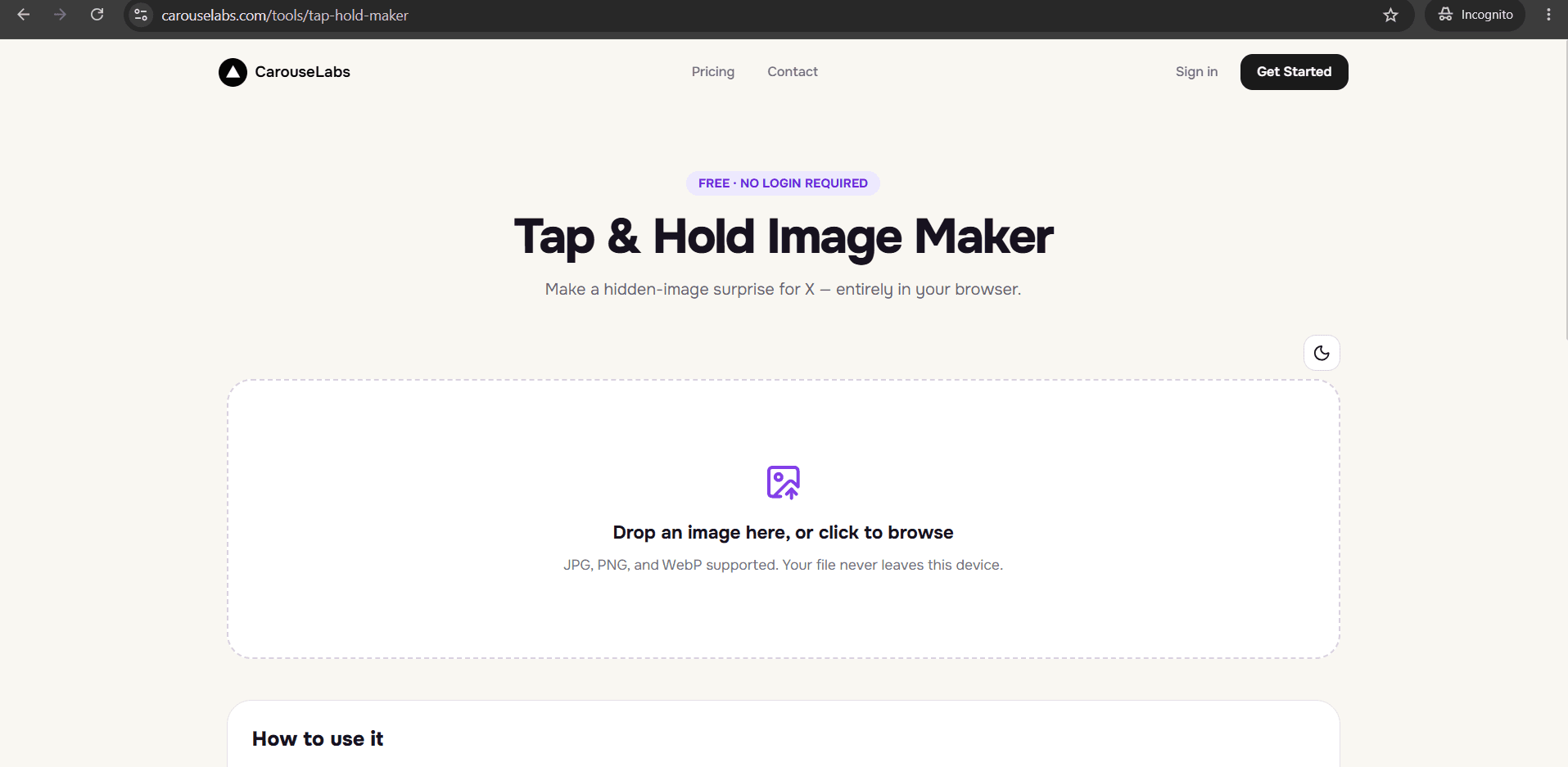
'Viral' is often treated like luck, but the tap and hold images that spread the furthest tend to share a small set of structural traits: a clear hook, a fast payoff, and a reveal that is genuinely worth sharing with someone else. This page breaks those traits down using real example structures rather than vague advice.
None of what follows depends on a large following or paid promotion. It depends on the same free tool every other example on this site uses — the CarouseLabs Tap & Hold Image Maker — applied with a bit more intention.
What “Viral Tap and Hold Examples” Means
A tap and hold example spreads when the interaction itself becomes worth talking about, not just the content underneath it. That means the visible teaser has to be intriguing enough to earn the tap, and the hidden reveal has to deliver on that curiosity immediately — anything less and the post gets scrolled past without a second thought.
Structurally, that usually comes down to keeping the visible portion very small and specific rather than vague. A one-word caption or a tiny visible fragment creates more curiosity than a half-visible image that already tells most of the story.
Why People Use This Effect
Examples that spread widely usually get replicated — someone sees the format work, tries the same structure with their own subject, and posts their own version. That replication is a big part of why the tap and hold trend keeps resurfacing across completely different niches instead of fading after one moment.
The interaction also creates a natural reason to reply or quote: revealing something and reacting to it in public is inherently more shareable than just liking a static image, which is exactly the kind of engagement the X algorithm favors with wider distribution.
How to Create This with CarouseLabs
Here is how to build a tap and hold image using the same structural traits behind the examples that tend to spread, using the free CarouseLabs Tap & Hold Image Maker.
- 1
Open the Tap & Hold Image Maker
Go to /tools/tap-hold-maker. It is free, requires no login, and works entirely in your browser.
30 sec - 2
Upload a photo with a strong, single subject
Choose an image where the hidden reveal will be immediately clear once shown — busy or cluttered photos read poorly at small teaser sizes.
15 sec - 3
Paint a deliberately small visible teaser
Use the brush to keep the visible area minimal — just enough to create curiosity, not enough to explain the image. Undo any stroke that reveals too much.
1-2 min - 4
Confirm the gap in both preview panels
Timeline View should look intriguing but incomplete; Tap & Hold View should deliver a clear, satisfying payoff. If either feels flat, adjust your strokes.
30 sec - 5
Download the version tuned for X
Use Download for X to get the optimized PNG-8 export that preserves the effect through X's timeline compression.
10 sec - 6
Post from a desktop browser with a short caption
Publish from desktop web rather than the mobile app, and pair it with a caption that invites the tap without spoiling the reveal.
20 sec
Try it as you read
Open the maker in another tab and follow along with the steps above.
Tips for Better Results
Make the teaser specific, not vague
A tiny visible detail — a single word, a corner of a face — creates more curiosity than a fuzzy, half-visible image.
Pick subjects with an obvious emotional payoff
Reveals that are funny, surprising, or relatable travel further than purely aesthetic ones.
Post at a time your audience is actively scrolling
A tap and hold image only spreads if people see it while actively browsing — timing matters as much as the image itself.
Write a caption that creates curiosity without spoiling it
Avoid describing what is hidden. A short, open-ended caption keeps the reveal itself as the payoff.
Double-check both previews before every post
A structurally strong idea can still fail if too much is accidentally visible — always confirm both panels in the CarouseLabs Tap & Hold Image Maker.
Examples
One-word caption reveal
A single provocative word or number stays visible while the full context is hidden until tap and hold.
Reaction bait reveal
A neutral-looking teaser hides a reaction-worthy image, encouraging replies once revealed.
Split-second twist
The teaser implies one outcome while the hidden reveal delivers a contradicting twist.
Relatable moment reveal
A mundane visible teaser hides a highly relatable image or screenshot that people quote-share.
Common Mistakes
Making the visible teaser do too much explaining
Fix: If the caption and teaser already tell the whole story, there is nothing left to discover. Trim the visible area down until real curiosity remains.
Choosing a subject with a weak payoff
Fix: A reveal only spreads if it is worth telling someone else about. Pick source images with a genuinely surprising, funny, or striking hidden portion.
Publishing through the X mobile app
Fix: Post from a desktop browser instead — mobile app compression is the most common reason an otherwise strong example fails to reveal properly.
Ignoring the Timeline View preview
Fix: Always check how the teaser reads at small scale before publishing; what looks intriguing zoomed in can look confusing or bland in an actual feed.
Frequently Asked Questions
The tap and hold images that spread the widest are not the most technically complex — they are the ones with the tightest gap between a small, specific teaser and a genuinely satisfying reveal. That structure is available to anyone with a decent photo and a few minutes.
Try building one with the free CarouseLabs Tap & Hold Image Maker and keep the visible teaser smaller than you think you need to.
Make your viral tap and hold examples right now
Everything above happens inside one free browser tool — no signup, no design software.
Create your Tap & Hold image nowFree forever · Works entirely in your browser