AI YouTube Thumbnail Generator From a Reference Image
Most AI thumbnail generators work like every other AI art tool: type a prompt, get back something generic, then spend twenty minutes trying to describe your way toward the layout you actually had in mind. CarouseLabs' AI YouTube thumbnail generator starts from a different premise — you upload a reference thumbnail whose composition already works, and the AI analyzes it with real structural precision: subject count, exact position, scale, text regions and their relative sizes, background complexity. That analysis becomes the fixed frame your new thumbnail is built inside, so instead of describing a layout in words and hoping a model interprets you correctly, you're pointing at a thumbnail that already proves the format works and saying 'like that, but for my video.' The result inherits a proven composition instead of guessing at one from a blank prompt box.
See It In Action
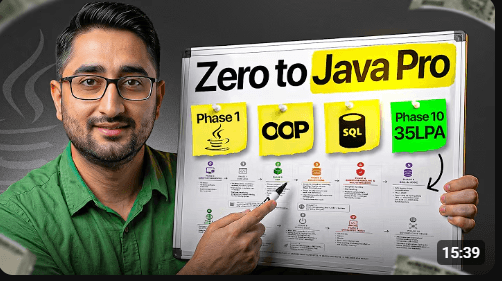
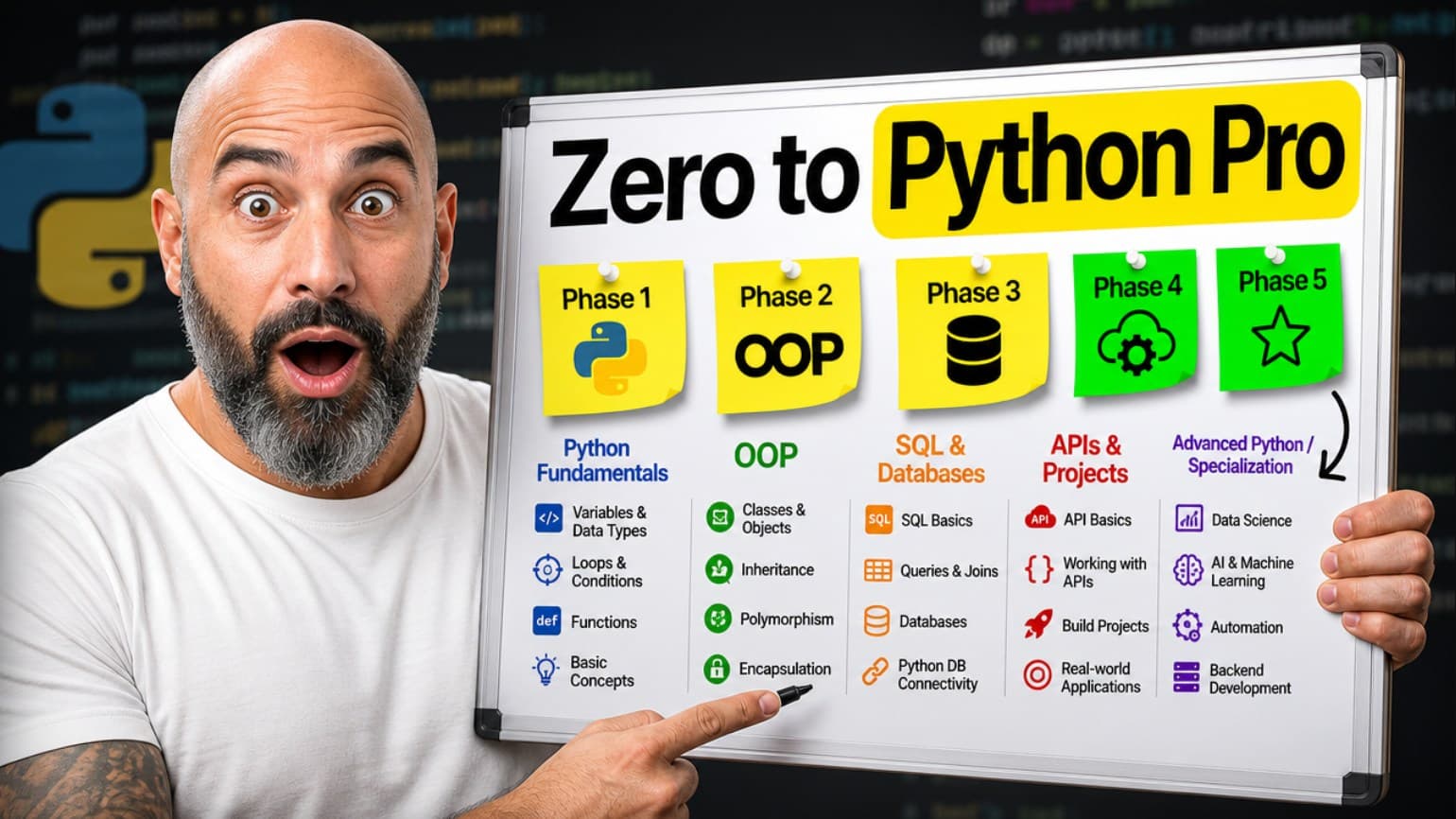
Reference thumbnail on the left, CarouseLabs result on the right.
How It Works
- 1
Upload your reference thumbnail
Drag in any YouTube thumbnail whose layout you want to build from — a competitor's, a creator you admire, or one of your own past uploads. CarouseLabs doesn't need it explained; it analyzes the image directly, reading subject count, placement, scale, text regions, and background complexity before asking you a single question.
- 2
Tell CarouseLabs about your video
Paste in your title, script, topic, or just a few key points. This is what the reference's structure gets filled with, so the more specific you are here, the more the final thumbnail will actually represent your content rather than a generic stand-in.
- 3
Answer a few quick questions
The AI asks only what it genuinely needs to know — who or what should occupy the reference's subject position, whether you have specific text in mind or want suggestions, anything else you'd like it to know. One question at a time, and you can always say 'decide for me.'
- 4
Review the structural blueprint
Before anything is generated, you see exactly what was extracted from the reference (its composition, text regions, background) alongside what will fill it (your subject, your headline, your emotion) — a clear plan, not a black box.
- 5
Generate your thumbnail
CarouseLabs generates a true 16:9 thumbnail (1280x720, no cropping) that preserves the reference's composition while replacing its content with yours — ready to download and upload straight to YouTube.
What Makes This Different
Starts from a reference, not a blank prompt box — composition comes from a thumbnail that's proven to work, not a text description you have to get exactly right on the first try.
Structural analysis, not vibes — subject position, scale, text regions, and background complexity are extracted from the reference with real precision, not vague style language a model might interpret loosely.
A conversation, not a fixed wizard — the AI asks exactly what it needs (a photo, a name, a text preference) instead of marching you through steps that don't apply to your specific thumbnail.
Generates true 16:9 at 1280x720 natively, so what you see in the blueprint is what uploads to YouTube — no post-generation cropping to fix the aspect ratio.
Frequently Asked Questions
Recreate Your First Thumbnail Free
Upload a reference, answer a few questions, and see a real result — no credit card required to start.
Try It FreeNo credit card required